Configured to your organisation, not the other way round
Most platforms make you bend your risk model to fit the tool. RiskQuilt does the opposite. Scoring, appetite, hierarchy, the event process, and who sees what are all yours to shape — self-served by your own admin, with no consultant and no implementation project. This is depth through focus, not a settings maze.
Depth you can shape, without a services engagement
Configurability is where RiskQuilt's depth shows. The core risk model — scoring scales, impact tables, risk appetite, the framework taxonomy — is fuller than the tools it's priced against, and every part of it is yours to define. So is the event process and the access model. It's all done from configuration screens by your own tenant admin, recorded and auditable, and it holds together because the underlying model is built for relational integrity, not convention.
The page below walks the three things you shape: your model, your process, and your access — and, at the end, where that depth scales with your tier.
Define how risk is measured
Scoring scales, impact tables, appetite and taxonomy are configured to your framework — and versioned, so a change is deliberate and traceable.
Your scales, your impact tables
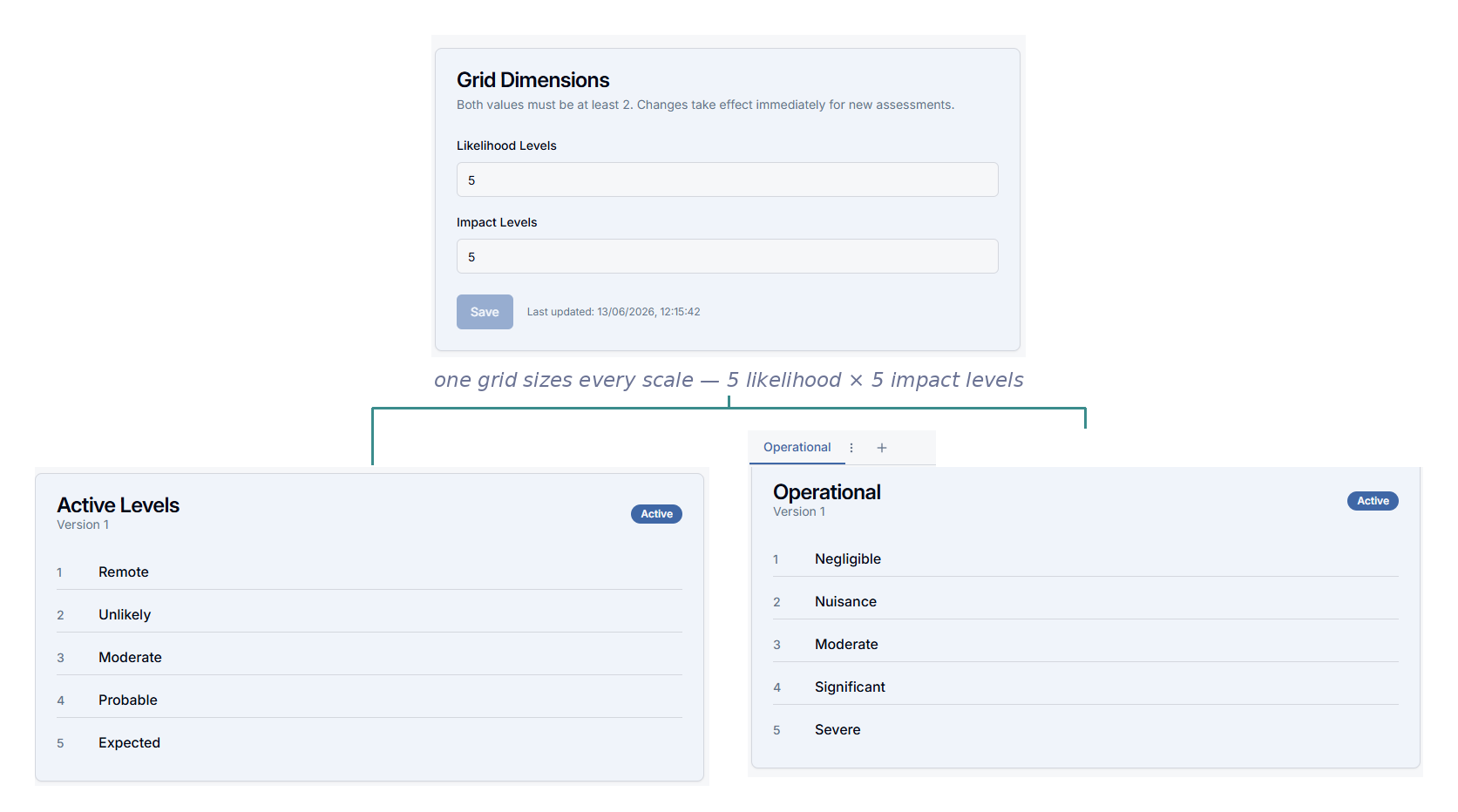
Set your own likelihood scale and the scoring grid that sizes it. Then define as many impact tables as your organisation assesses against — financial, reputational, compliance, and any other lens that matters. Your scoring grid sets how many levels every scale carries; a risk can be measured against several tables at once, and its score reflects the highest impact level it reaches, so nothing severe hides behind an average.
Scales, grid and impact tables are versioned framework components. You refine them as your practice matures without rewriting history: past assessments stay anchored to the framework version in force when they were made.
A risk taxonomy as deep as you need
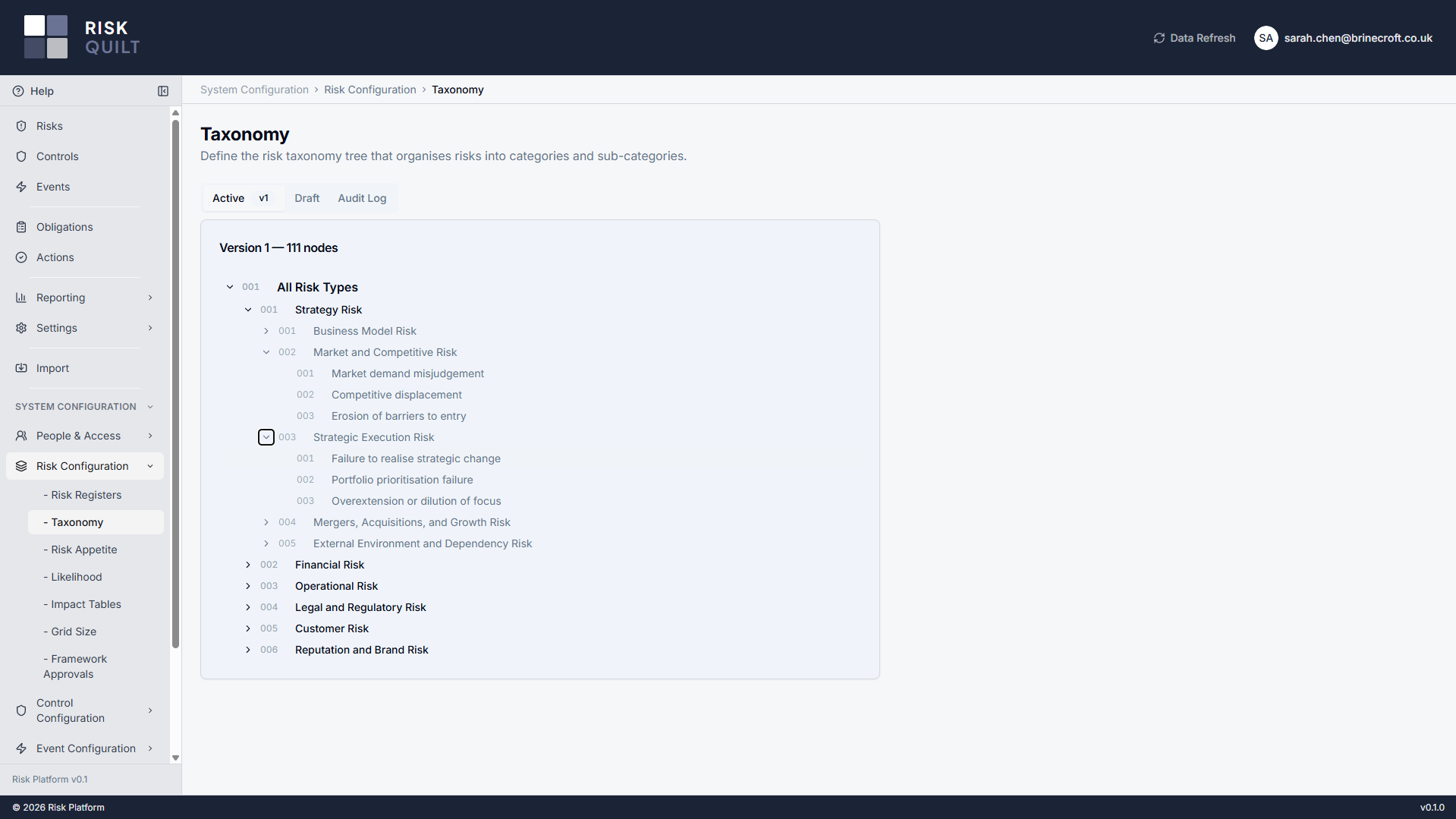
Classify risk the way your organisation actually thinks about it. Build a taxonomy tree — domains, categories, sub-categories — to whatever depth makes sense, and every risk is classified against it. It's the backbone the rest of the model hangs on: appetite is drawn against these nodes, and reporting rolls up through them.
The taxonomy is versioned, with a working draft and an audit log, so evolving it is deliberate rather than a free-for-all — activate a new version when it's ready, and past assessments keep the version they were made under.
Appetite drawn on your own grid
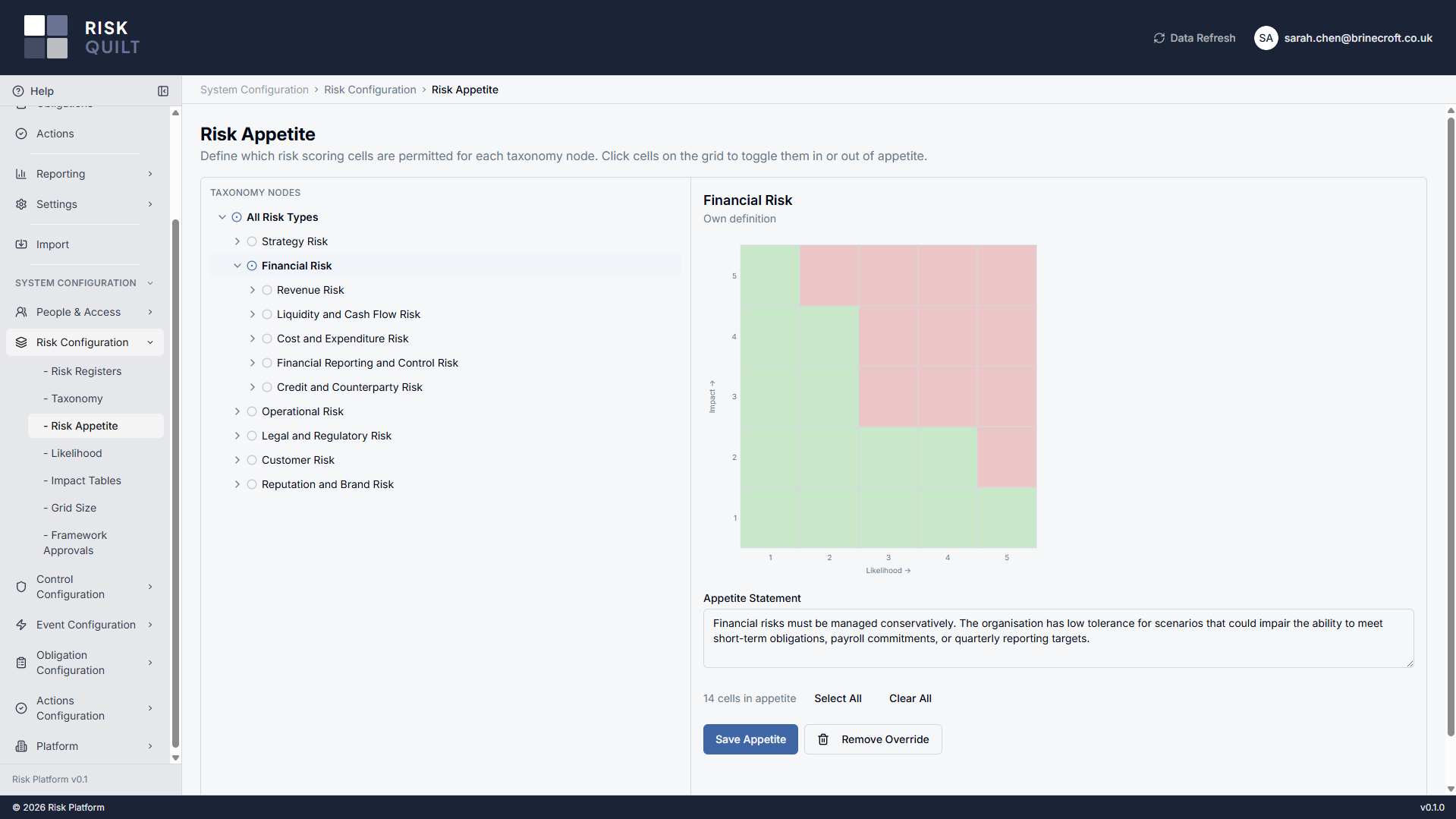
Express appetite as the cells of the scoring grid you're willing to accept, and attach it against your risk taxonomy. A broad statement at the top can be refined further down, with the more specific definition taking precedence — so a cautious stance on one domain sits comfortably beside a more tolerant one elsewhere. Appetite gives context and flags breaches for attention; it never silently blocks work.
How finely you can draw that picture scales with your tier — from a single organisation-wide statement, to per-domain, to the full taxonomy. See how appetite granularity scales.
A register structure that mirrors your organisation
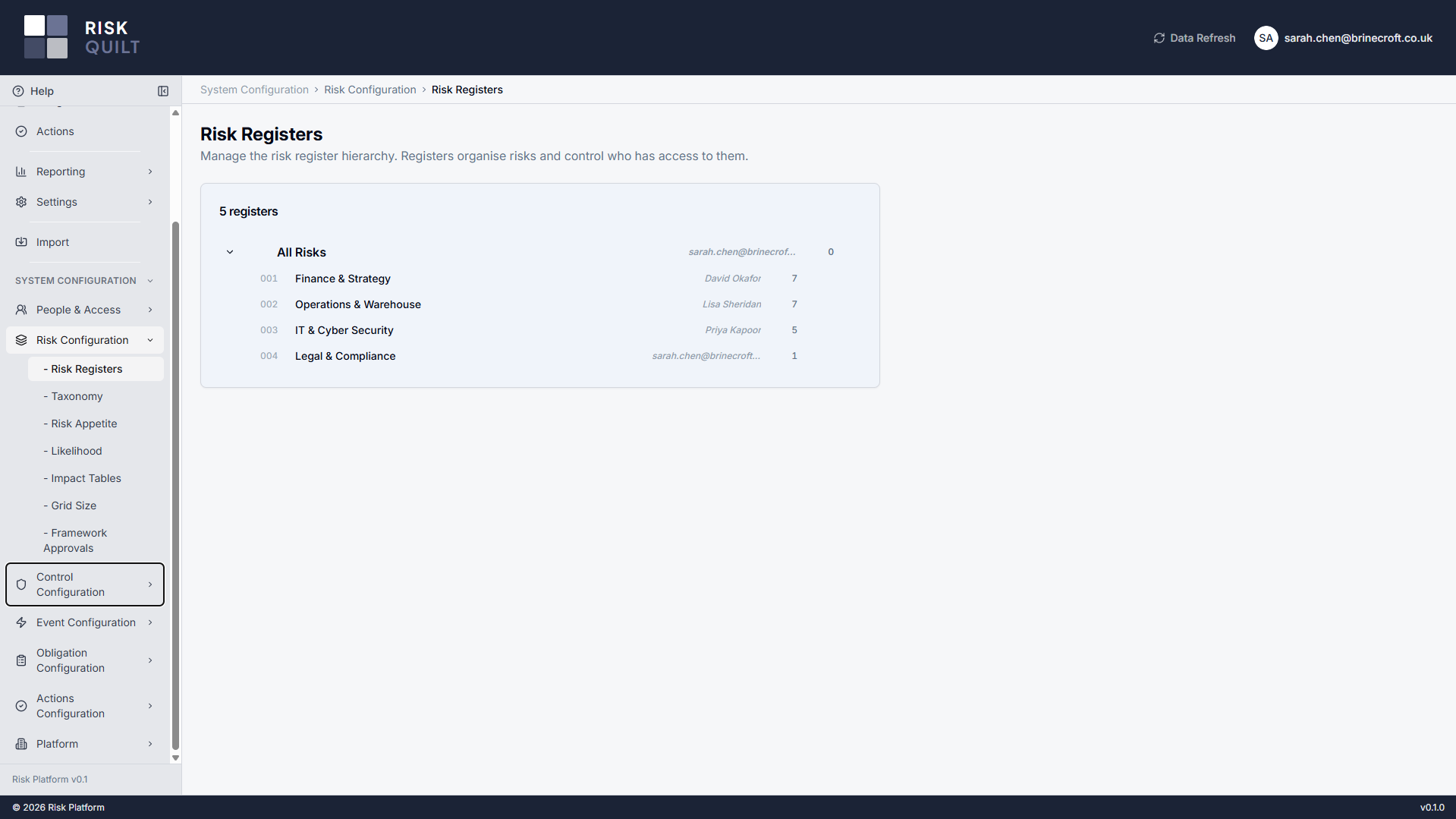
Registers are your organisational units — build the hierarchy that matches how you're structured, and it does real work: risks live in registers, ownership sits on them, and who can see what derives from where a register sits. The same materialised-path model runs through every category tree too — controls, events, actions and frameworks — so one mental model covers the whole platform. How deep the register hierarchy can go scales with your tier, from flat to unlimited.
Compliance frameworks live in that same category structure. Import a framework from the library, keep its requirements intact, and add your own interpretation and mapping against each one — organised and permissioned like everything else.
Make the workflow your own
Events carry the richest configuration in the platform — the supporting lists, escalation, watchers, loss capture and the closure gate are all yours to set. Actions tie the follow-up together across the whole model.
The vocabulary of an event is yours
Configure the lists that drive event capture: severities — each with its own label and colour — root-cause categories, loss types, cross-reference types, and your escalation types and recipients. Lists are deprecated rather than deleted, so tightening your taxonomy never orphans the history that already used it.
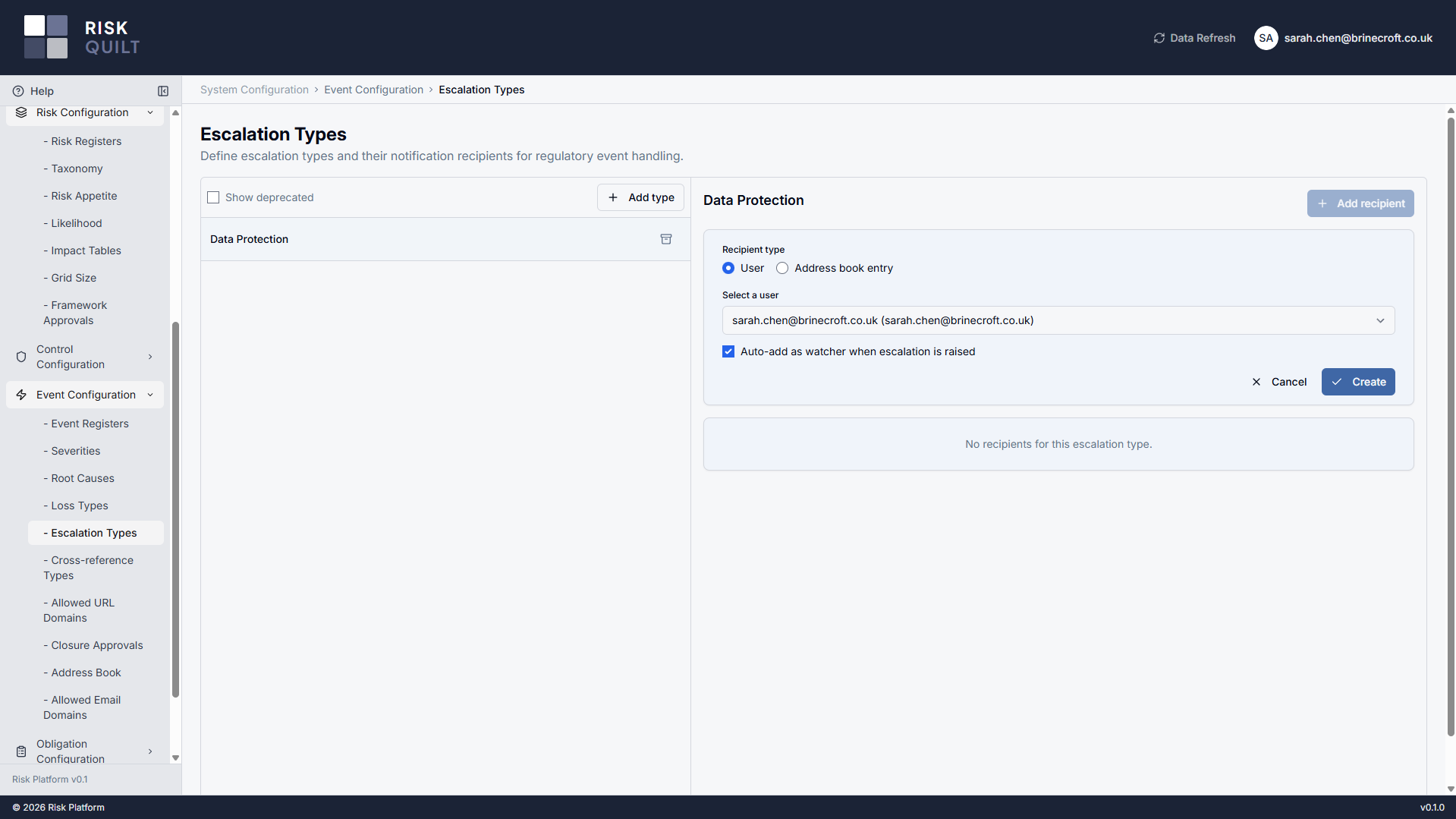
Recipients and watchers can be your own users or entries in a tenant address book, so the people who need to know about an event aren't limited to those with a login.
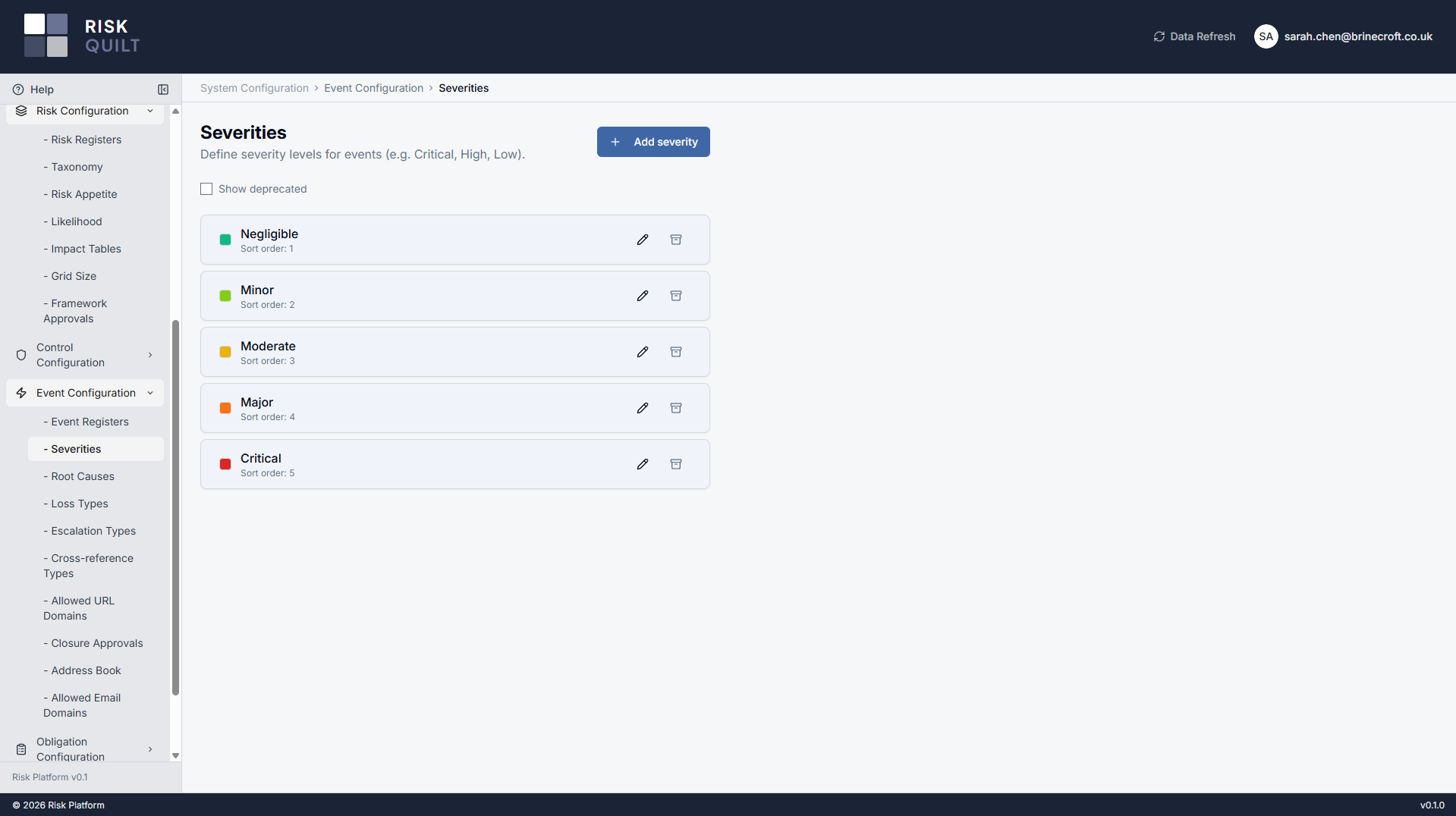
Route attention, and record what it cost
Flag an event for regulatory escalation to a defined internal audience — raising it notifies your chosen recipients and can add them as watchers automatically, keeping the right people close without anyone hunting for who to tell. The external notification itself stays a deliberate human act, outside the tool.
Capture loss against an event line by line — actual and near-miss amounts, by your own loss types and currency — so a single incident can record the full, honest picture of its impact rather than one blunt figure.
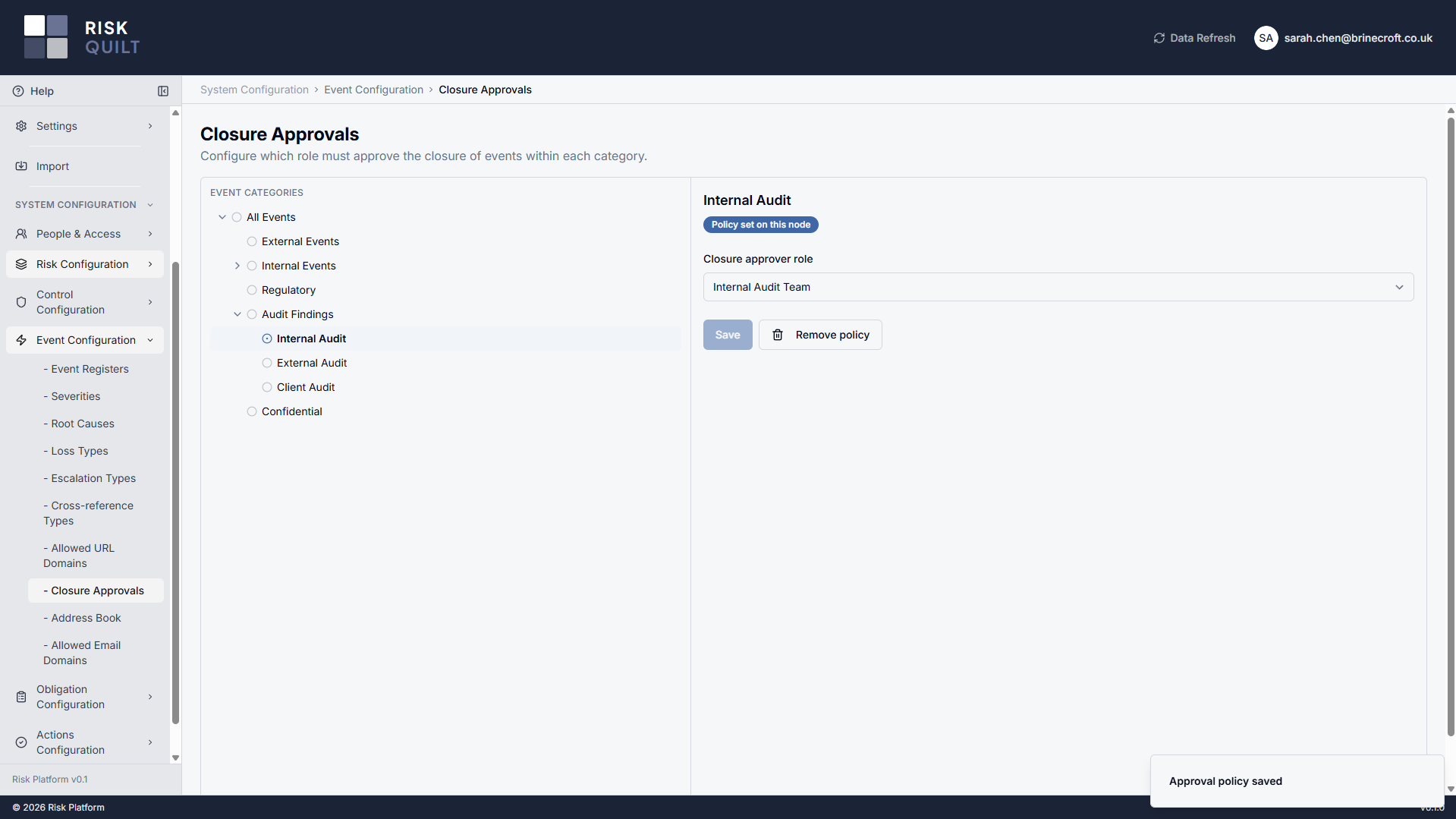
A closure gate you configure by category
Decide where closing an event needs a second pair of eyes. A closure-approval policy is set on an event category and inherits down its children, moving an event through a close-pending step before it's truly closed. Approvers can be given approval rights without broad write access — genuine segregation of duties, so the person who ran the response isn't the one who signs it off.
It stays practical: open follow-up tasks warn at closure rather than blocking it, and whether the gate applies at all is a tier-level choice you control.
Follow-up that spans everything, config you can audit
Actions that attach across the model
Actions are the platform's shared unit of follow-up — the same action model attaches to risks, to controls and to events alike. Configure and assign them once, and the work to treat a risk, remediate a control or close out an event is tracked consistently rather than in three separate silos.
ActionsConfiguration changes are recorded
Changes to your tenant configuration are written to a configuration audit log — who changed what, when, and from which value to which. Deprecating a list, retuning a policy, adjusting the process: the trail is there when an assessor asks, without you keeping a side spreadsheet of decisions.
Access that fits your structure, and your tier
The full access model has its own page. Here's the part that's about configuration: how access bends to your organisation, and where the tier ceiling sits.
A tier ceiling, your configuration, your policies
Access resolves through three layers. Your subscription tier sets the outer ceiling of what's possible; within it, you configure roles and grants to match your organisation; and node-level policies attach access to specific registers and categories, inheriting down your hierarchy by the same materialised-path model that runs everywhere else. Access mirrors how you're organised, not a flat list of exceptions.
And it's never rationed by headcount: every tier includes unlimited users, because the broad participation that makes risk data good shouldn't be something you pay per seat to allow.
How far the configuration goes scales with your tier
Every tier runs the full core workflow — the difference is governance depth and structural complexity, not access to the basics. These are hard, structural limits, not soft nudges.
Configuration runs through every feature
Risks
Your scales, impact tables, appetite and register hierarchy are what every risk is scored and structured against.
RisksEvents
The configurable lists, escalation, loss capture and closure gate all shape how incidents are captured and closed.
EventsPermissions & access
The three-layer access model, node policies and unlimited users — the complete picture of who sees and does what.
Permissions