Access that mirrors how you're structured
Role-based access that inherits your hierarchy, keeps sensitive areas invisible by default, and is managed by your own admin — no support ticket to change who sees what.
Start free trialAccess through roles, not one-off grants
Access is governed entirely by roles. There are no per-user grants to track down and reconcile — you build roles, decide what each one can see and do, and assign people to them. A user can hold several roles at once, and where roles overlap the most permissive access wins. Write always includes read. It's a model you can reason about, and it's run from one place: the People & Access section of system configuration.
Roles you define, across every domain
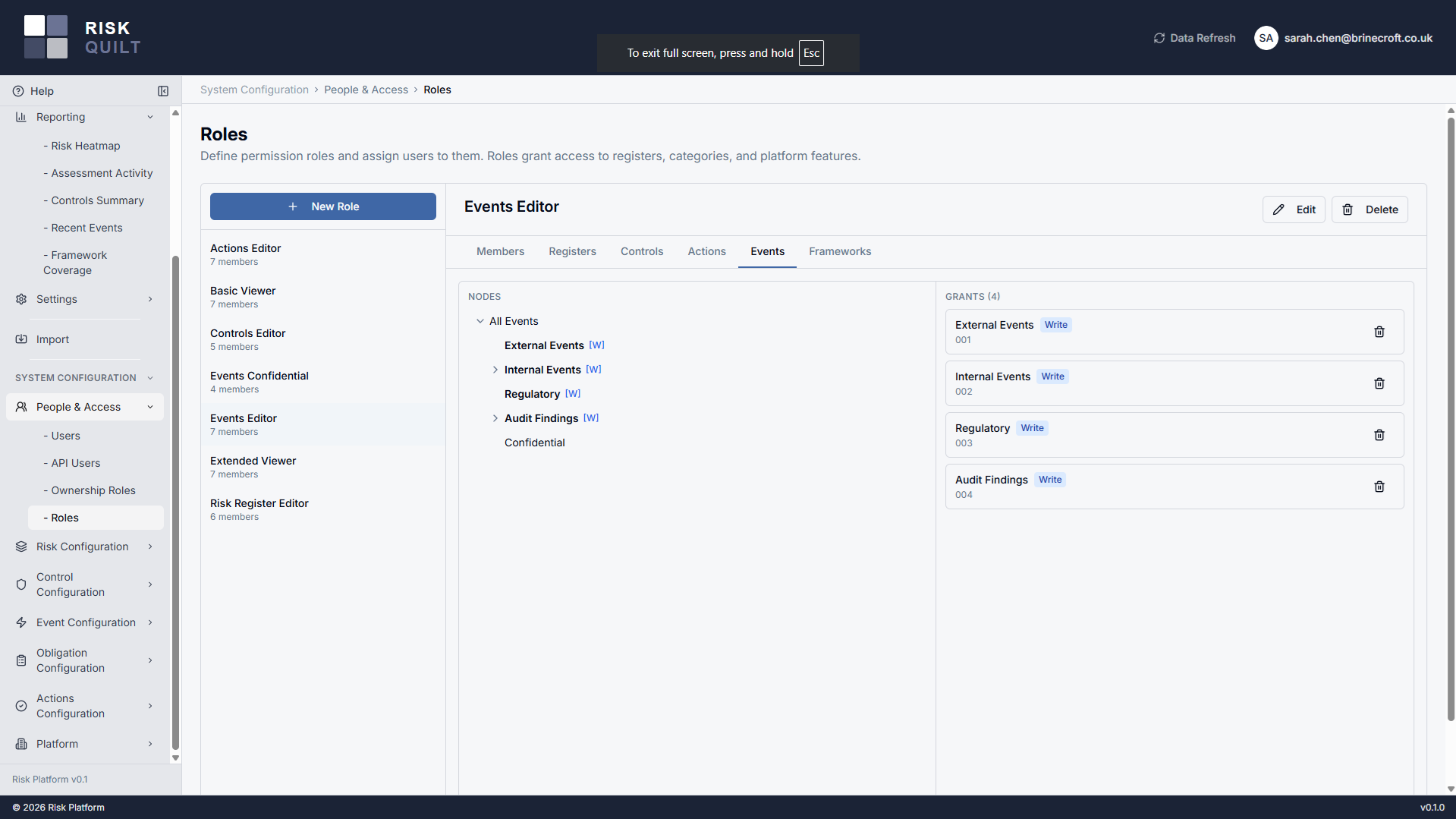
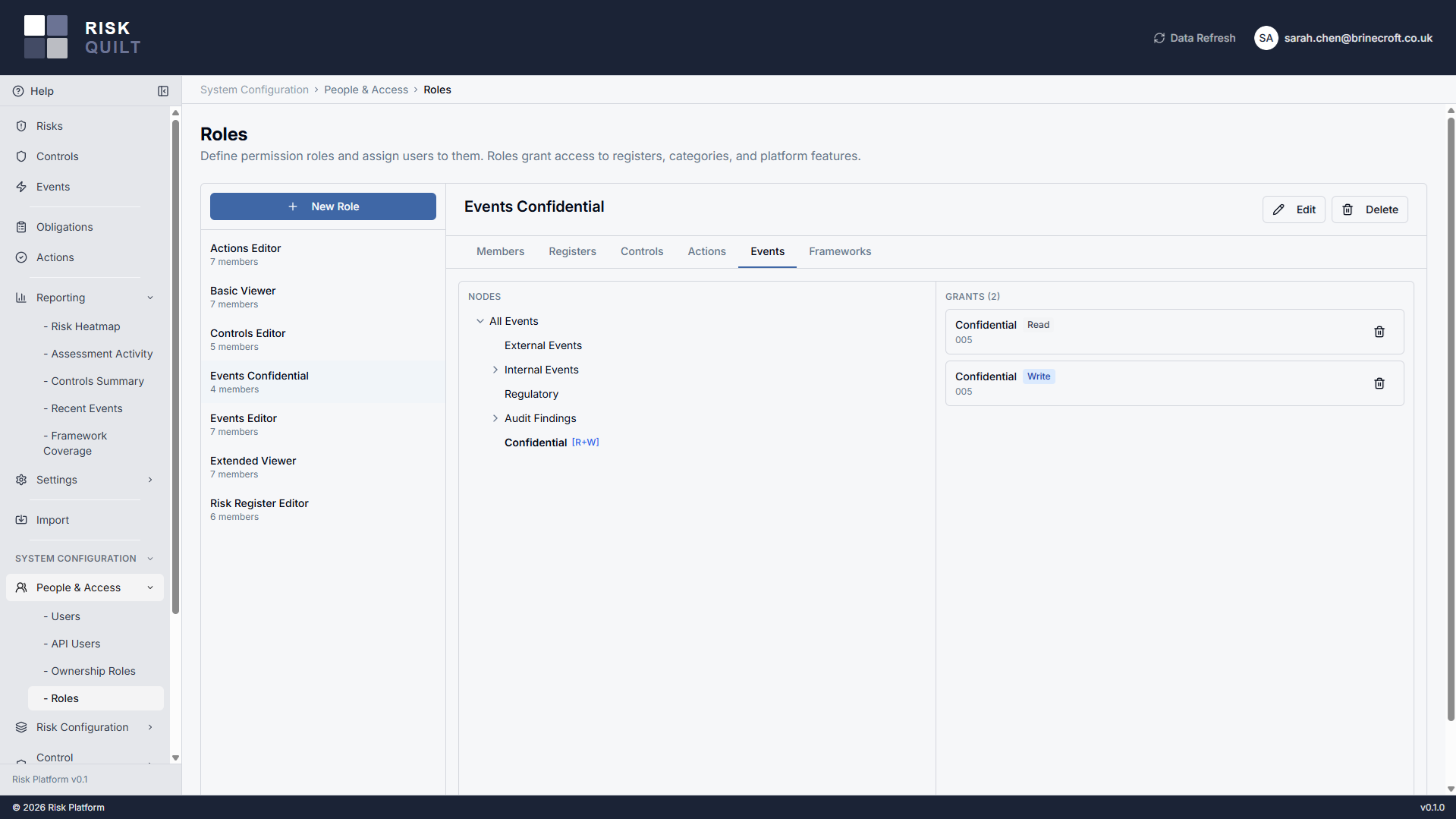
Create custom roles and grant each one read or write access across the five permission domains — risk registers, control categories, action categories, event categories, and framework categories — from a single role editor. One role can carry exactly the blend of access a job actually needs, rather than forcing people into coarse, off-the-shelf tiers.
Because access is additive across a user's roles, you compose access from reusable building blocks: a broad "read everything in Operations" role, a narrow "write to the IT control library" role, and a user who needs both simply holds both.
Permissions that follow your hierarchy
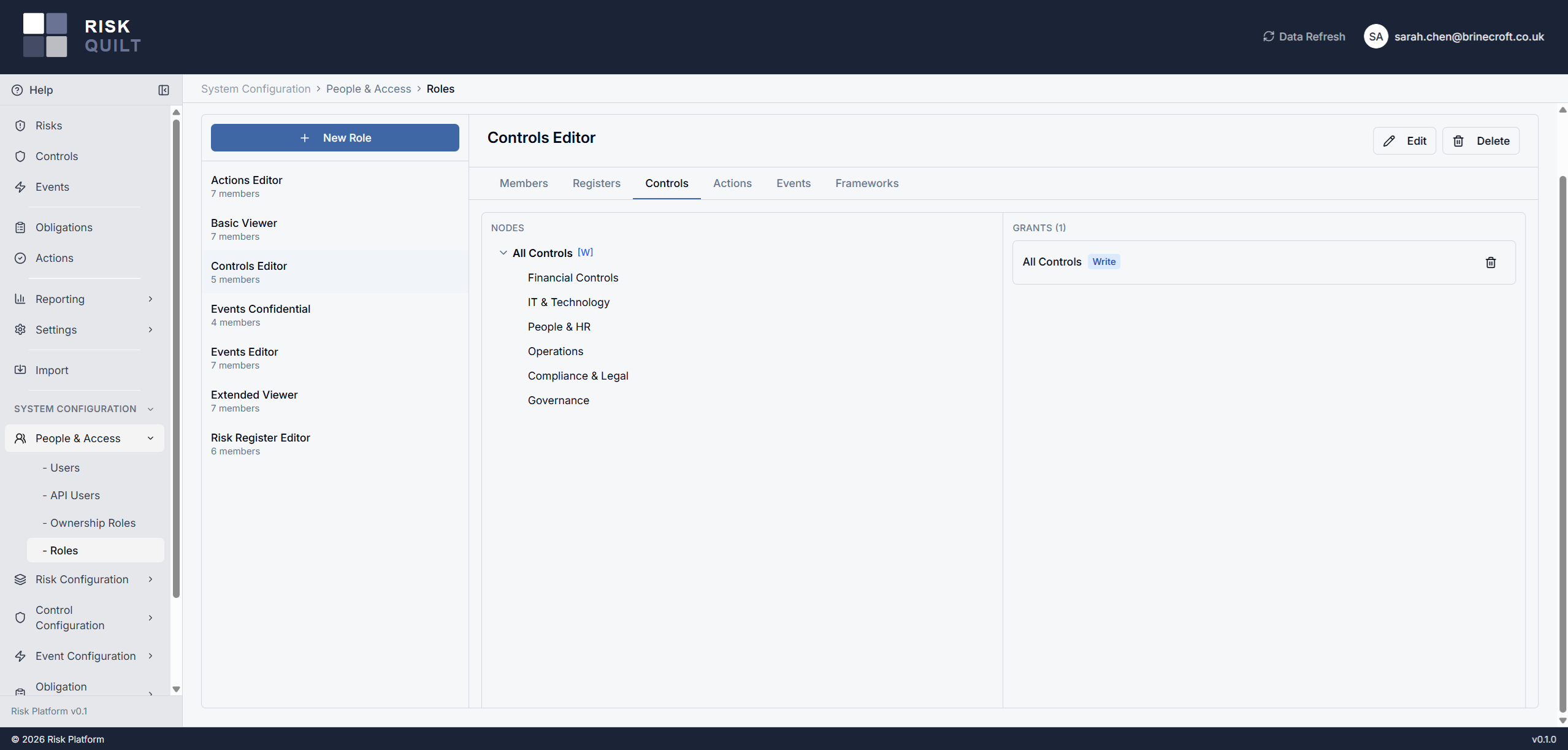
A grant attaches at a register or a category and inherits down everything beneath it — so access to a parent applies to all its children without you re-granting at every level. Grants can't be blocked partway down, which keeps the model predictable: you always know what a role can reach.
Where someone needs more at a lower level, a child node can expand their access. The same inheritance model works identically for register hierarchies and for control, action, event, and framework categories — one mental model across the whole platform.
Sensitive areas stay invisible
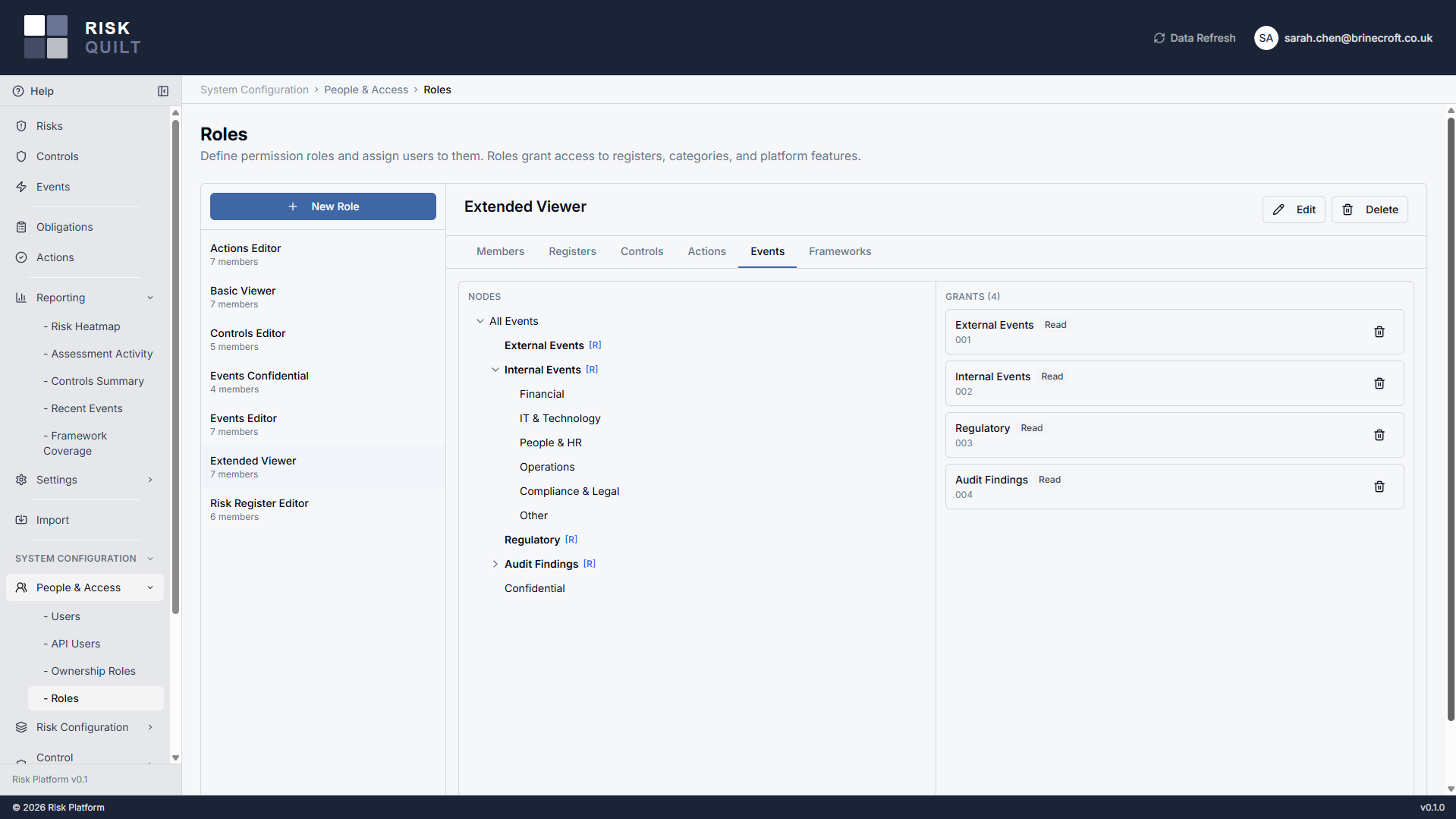
Everyone sees a tree filtered to what they're permitted to reach. A sibling area you have no access to isn't locked — it simply isn't there. That matters for genuinely sensitive work: an M&A register or a board-level area is invisible to people outside it, not a tantalising padlock. Ancestor nodes shown purely so you can navigate display their name only, with no access to their contents.
There's one deliberate, narrow exception. If you can see an object that links to a control, action, or event you don't otherwise have access to, you'll see that linked item's name — enough to know it exists — but the full detail still requires read permission on its category. You get context without leaking content.
One name accountable, easy to reassign
Risks, registers, controls, and actions are each owned by a role that holds a single member — accountability sits with one identifiable person, not a committee. When someone moves on, you transfer the ownership role to their successor in one step and every object they owned follows, with no hunt-and-replace across records. Ownership roles are managed in People & Access alongside your permission roles, and one can only be removed once nothing references it.
Your people, and your integrations
Users, invited and managed in-house
Invite users and assign their roles as you go. Invitations adapt to how your tenant signs in — a magic link for magic-link tenants, a welcome email for tenants using their own identity provider. Users show as active, pending, or suspended, and you can search and filter the list. When someone should no longer have access, your admin suspends them directly — no platform support request in the loop.
API users for the AI and integration layer
Issue dedicated API users for programmatic access — the same surface your AI and CSV tooling uses. Create a key, activate it, regenerate it, or revoke it outright, with each key shown as active, unactivated, or revoked. Credentials are presented once for safe-keeping, so access for an integration is something you grant and withdraw on your own terms.
Access runs through everything
Risks
Register permissions are your organisational structure — visibility, ownership, and reporting scope all derive from where a risk sits in the hierarchy.
RisksObligations
Framework-read and framework-write category permissions govern who can view, import, and map compliance frameworks — delegated without a support ticket.
ObligationsGenAI API
API users are how the AI and integration layer connects — access you grant, scope, and revoke from the same People & Access section.
GenAI APIHeld by your admin, delegated where it counts
Tenant-level configuration sits with a single tenant administrator: your risk framework — taxonomy, likelihood and impact tables, the scoring grid, risk appetite — plus evidence tags, assessment thresholds, root category ownership, tenant settings, and user suspension.
Crucially, the day-to-day work doesn't bottleneck on that one person. Compliance framework management and control management are delegated through framework-category and control-category permissions, so the people doing the work hold the access to do it — granted by role, recorded against the role, and changed without a support ticket.