Risk registers with structure
Registers that mirror how your organisation is run, risks that carry single accountable ownership, and a lifecycle every risk moves through — scored on your own scales.
Start free trialA register structure that matches your organisation
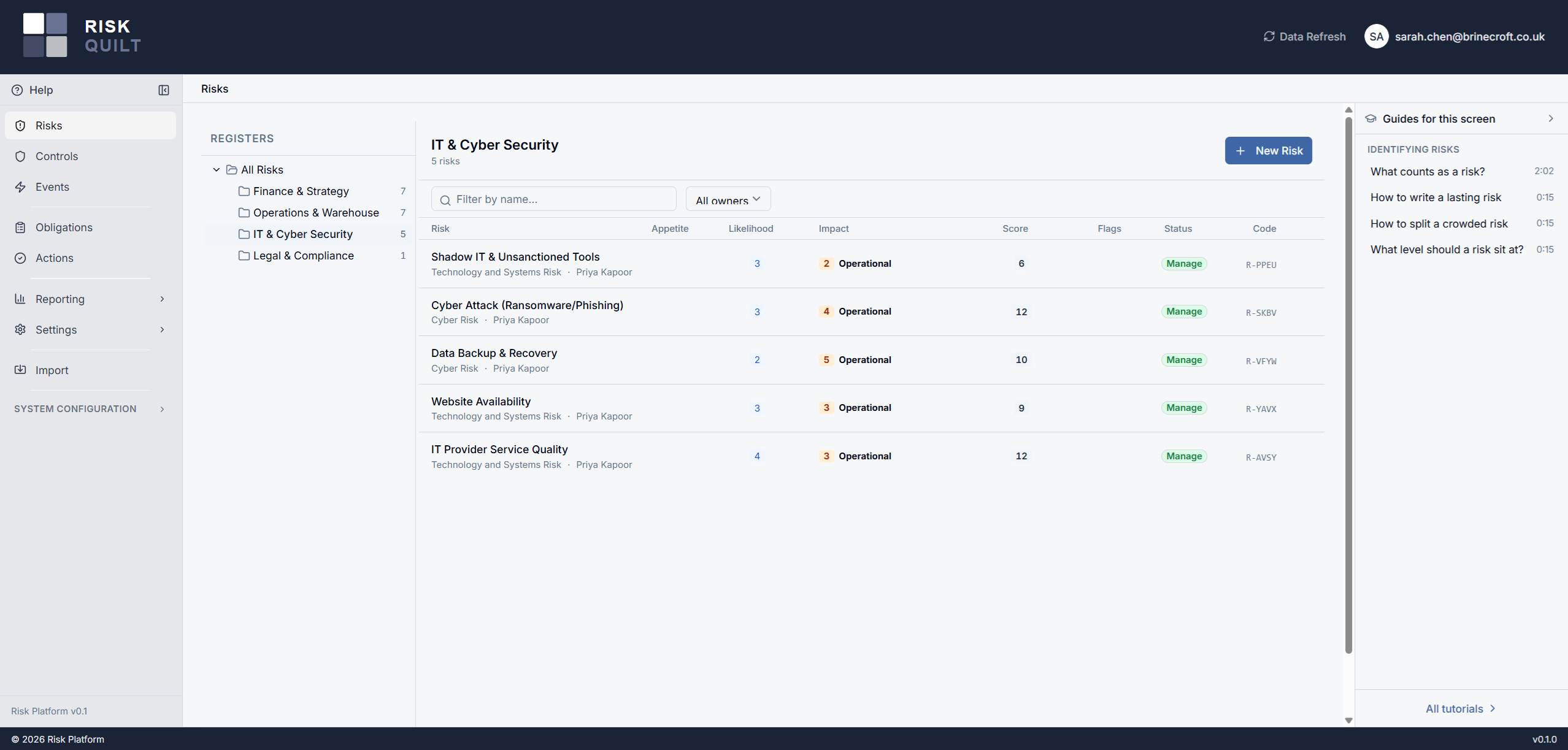
Risk registers are organised into a hierarchy that represents your management scope of control — board oversight at the top, executive and functional domains beneath, down to departmental and team scopes. Each register is an organisational unit for ownership, permissions, control scope, and reporting. Every risk lives where it belongs, has one accountable owner, and moves through a defined lifecycle.
Registers that mirror your organisation
Create registers anywhere in the hierarchy — typically four to five levels deep — so risks sit at the right level of management. Every level is structurally identical; the meaning comes from how you use it, not from a fixed register type.
Structural change is deliberately high-friction, because a register hierarchy should be stable. Registers can only be deleted when they hold no risks, and they cannot be re-parented once created. Risks move between registers through promotion and demotion — a controlled path, not a free-for-all.
One owner, clearly accountable
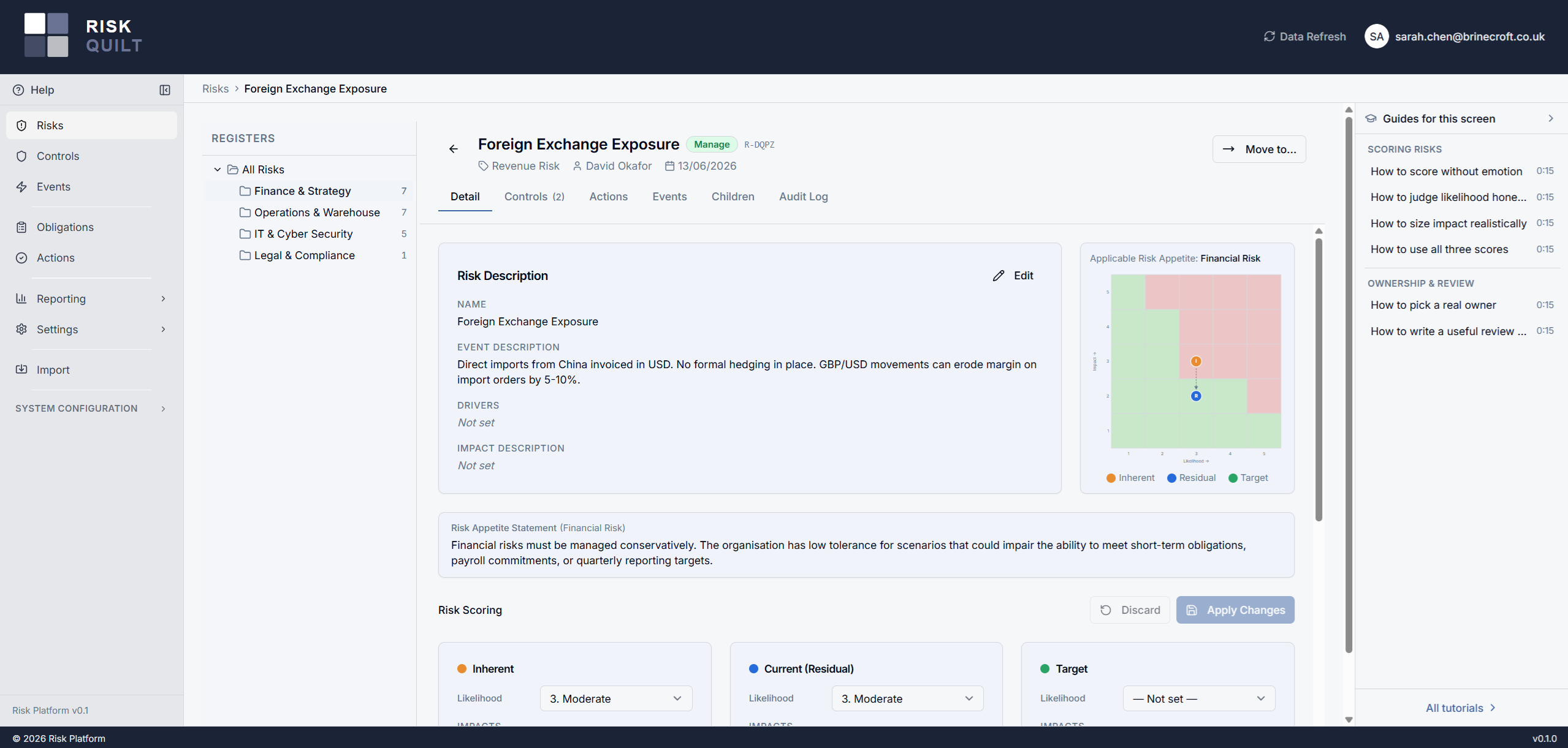
Every risk has exactly one owner role, and that role is held by a single named member. Ownership is mandatory the moment a risk is created — there is no orphaned risk with nobody answerable for it. The owner carries accountability and edit rights, and only the owner can move a risk from Assess into Manage.
Ownership is about accountability, not a backdoor around access control. Owning a risk doesn't override register permissions, and it doesn't imply ownership of the controls that mitigate it. Ownership changes are role-based and recorded in the audit trail.
A lifecycle every risk follows
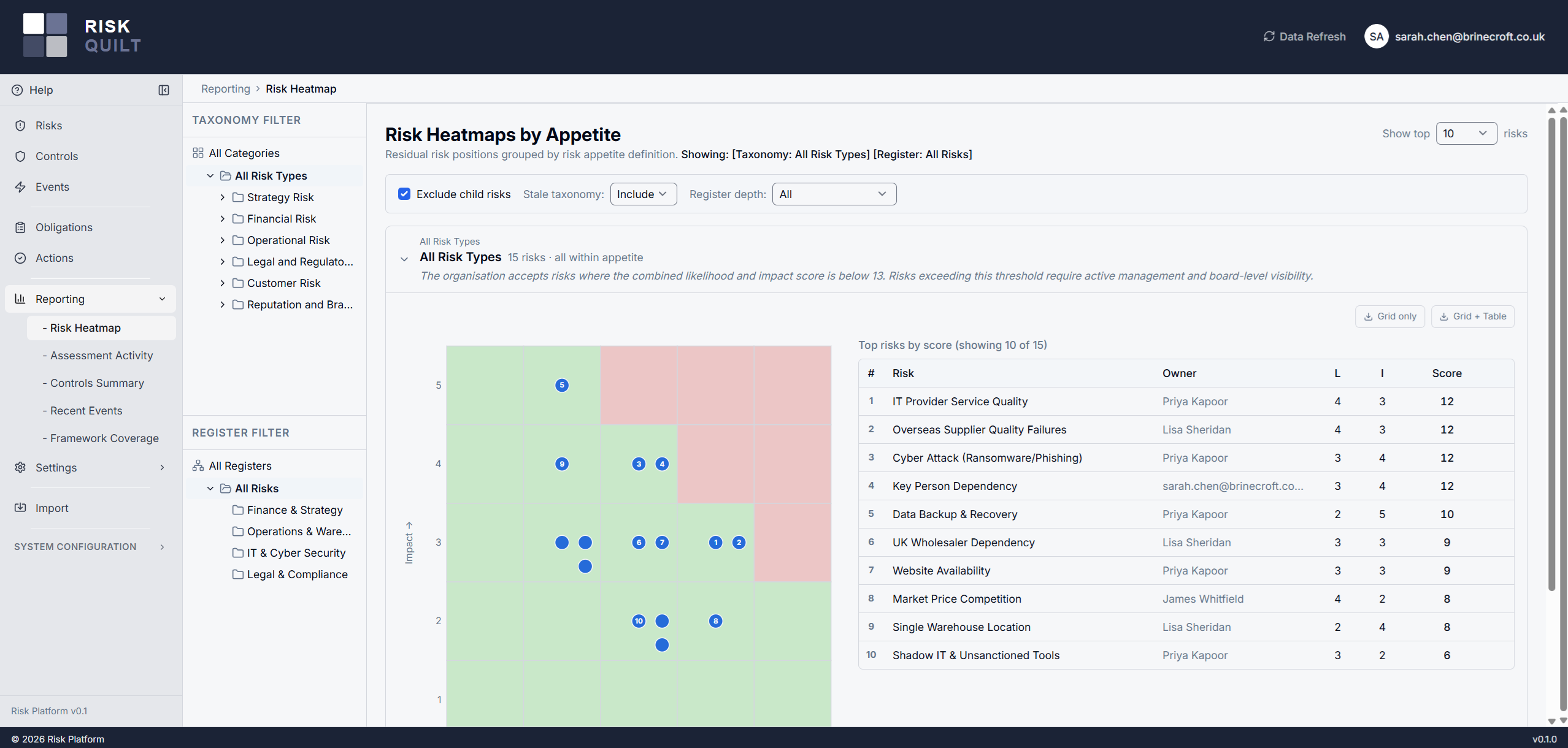
Risks move through a defined lifecycle — draft, identify, assess, manage, close — so the state of every risk is unambiguous. Scoring uses your own likelihood and impact scales, not a one-size-fits-all matrix, and scores are visualised on a heatmap with your risk appetite overlaid. You see at a glance which risks sit outside appetite.
Parent and child risks, for judgement
A risk can be linked to a parent risk to group related risks across register levels — giving management context and a path to drill down. A parent risk is a standard risk in its own right: same lifecycle, same data requirements, and it may itself sit under a higher-level parent. A risk has at most one parent and any number of children.
Parent scores are always set manually — the structure exists to inform the parent owner's judgement, not to replace it. When you review a parent risk, the platform surfaces what has changed in its linked child risks since you last updated it: changes to child scores, and changes to which risks are in the child set. You review with the full picture in front of you, and the decision stays yours.
Risks sit at the centre
Controls
Link the controls that mitigate a risk, and see their effectiveness alongside the risk they address.
ControlsActions
Raise actions directly from a risk to close gaps, with owners and due dates that link back to the risk.
ActionsEvents
Connect incidents, near-misses, and findings to the risks they relate to — what actually happened, against what might.
EventsEvery change recorded, every view permitted
Risks carry an append-only history: ownership changes, score changes, lifecycle moves — all retained, all attributable.
You see only the risks and registers you have permission to access. Permissions follow the register hierarchy, so a grant on a parent register applies to everything beneath it — access that mirrors your structure instead of fighting it.